
Final Cut Pro

1. Create a New Folder on Your Computer
Use this folder to collect all materials required for the project turnover to the colorist.
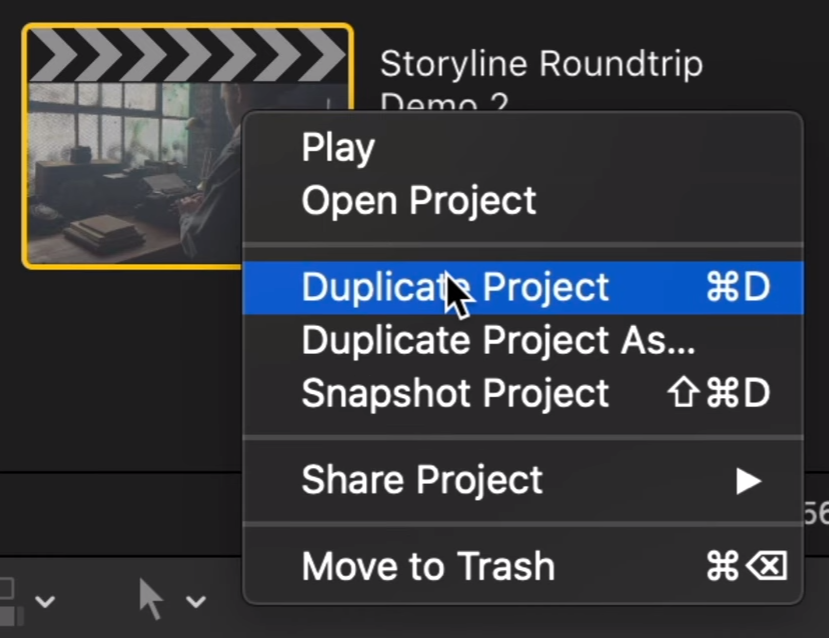
2. Duplicate the Project
Duplicate the approved project and use the duplicate for all turnover preparation.
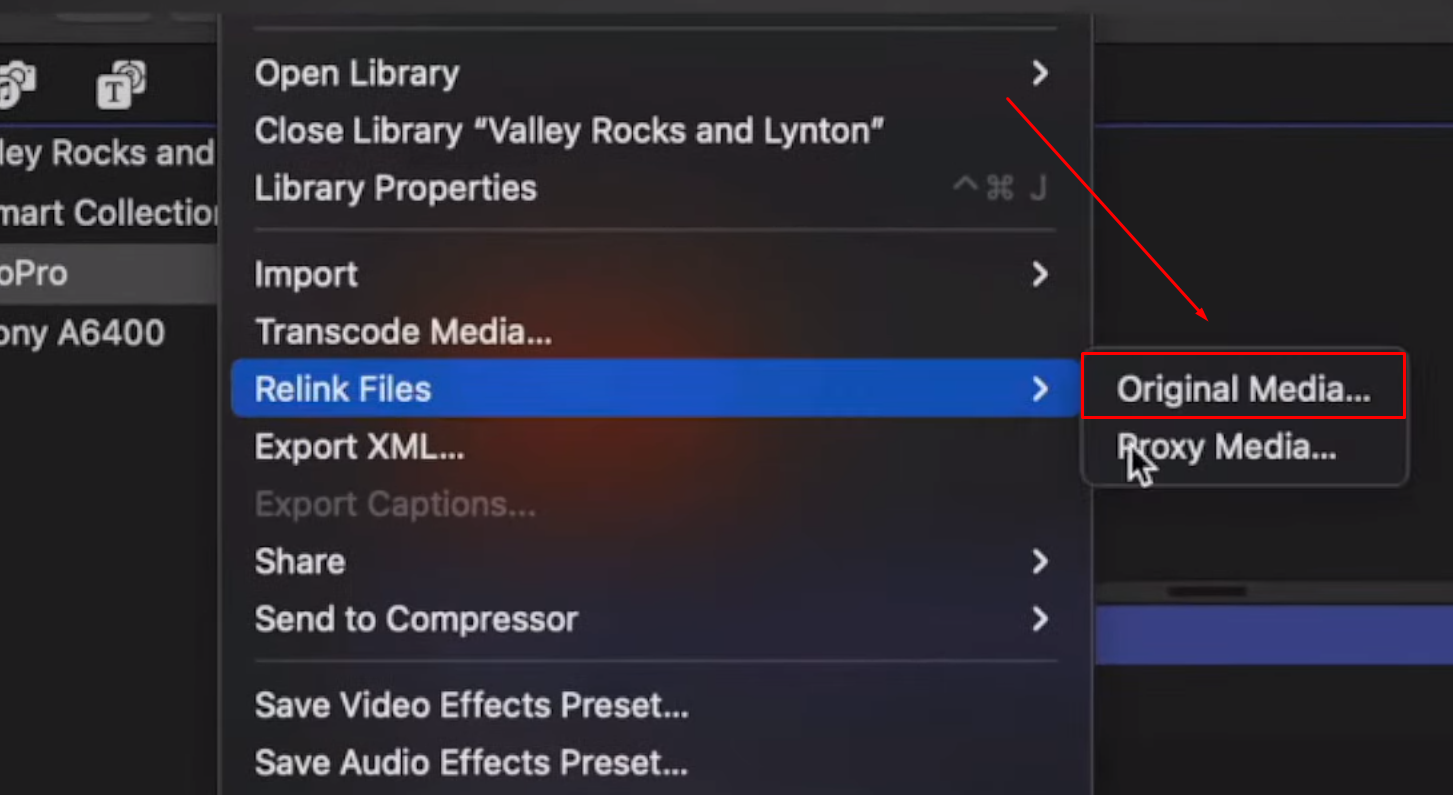
3. Relink Clips to the Original Media
If proxy media was used during editing, relink all clips to the original source media:
File → Relink Files → Original Media
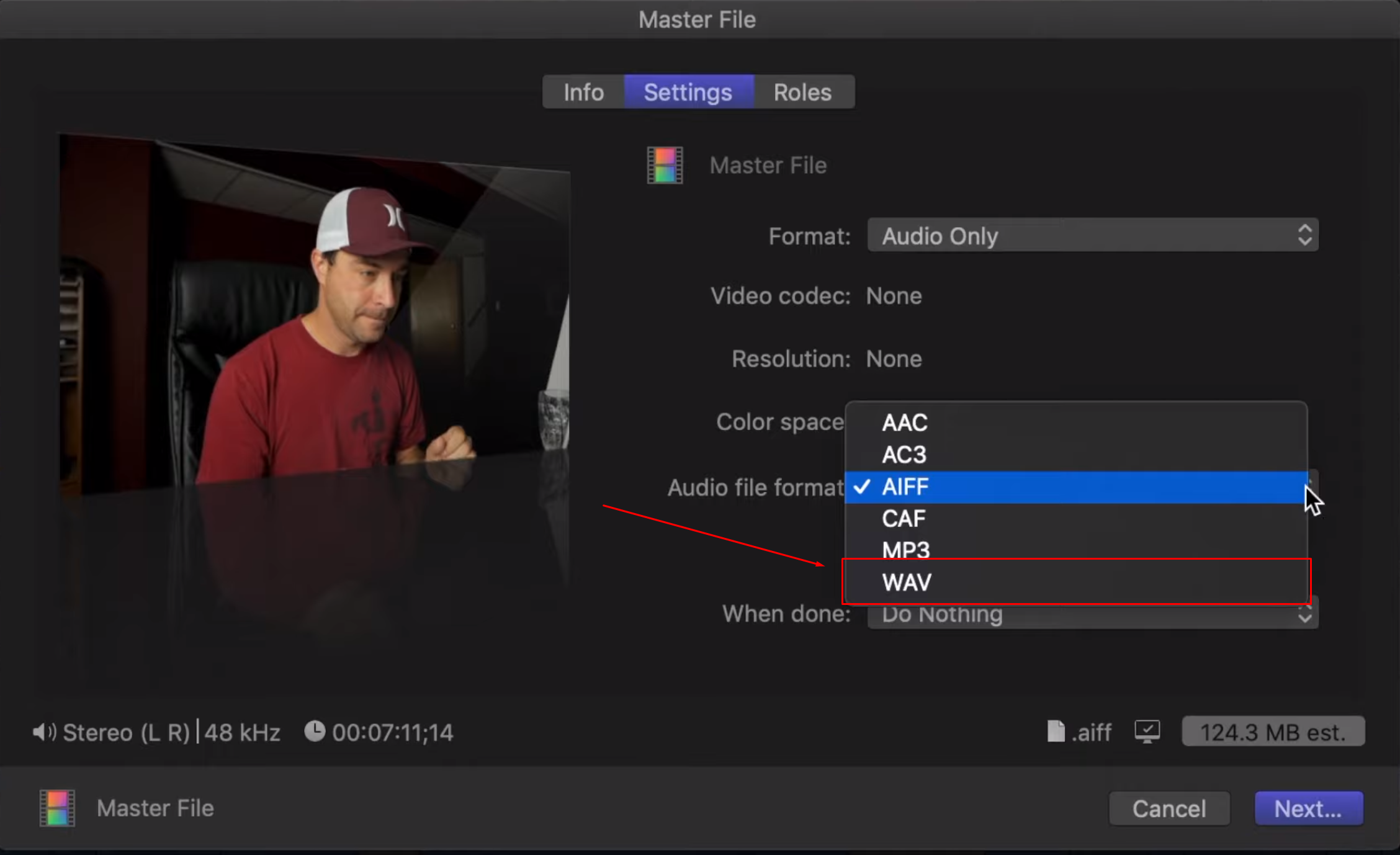
4. Export Guide Audio
Export a .wav file of the picture-locked project, even if the audio has not yet gone through final sound mixing.
This will allow the colorist not only to verify sync after the project turnover, but also to better understand the mood and atmosphere created by the director and cinematographer.
| Setting | Value |
|---|---|
| Format | Audio Only |
| Audio File Format | WAV |
5. Prepare the Project
- Where possible, arrange all used clips on the lower video layers and keep the main picture edit in the Primary Storyline.
- Keep the project structure as simple as possible.
- Do not leave unused clips in the project.
Break Apart Compound Clips
Select each Compound Clip and choose:
Clip → Break Apart Clip Items
Repeat the command if the project contains nested Compound Clips.
Finalize Auditions
Select each Audition and choose:
Clip → Audition → Finalize Audition
6. Export an Offline Reference
The Offline Reference must show the same prepared project that will be delivered for color grading.
The colorist will use it to verify that the edit and source media have transferred correctly.
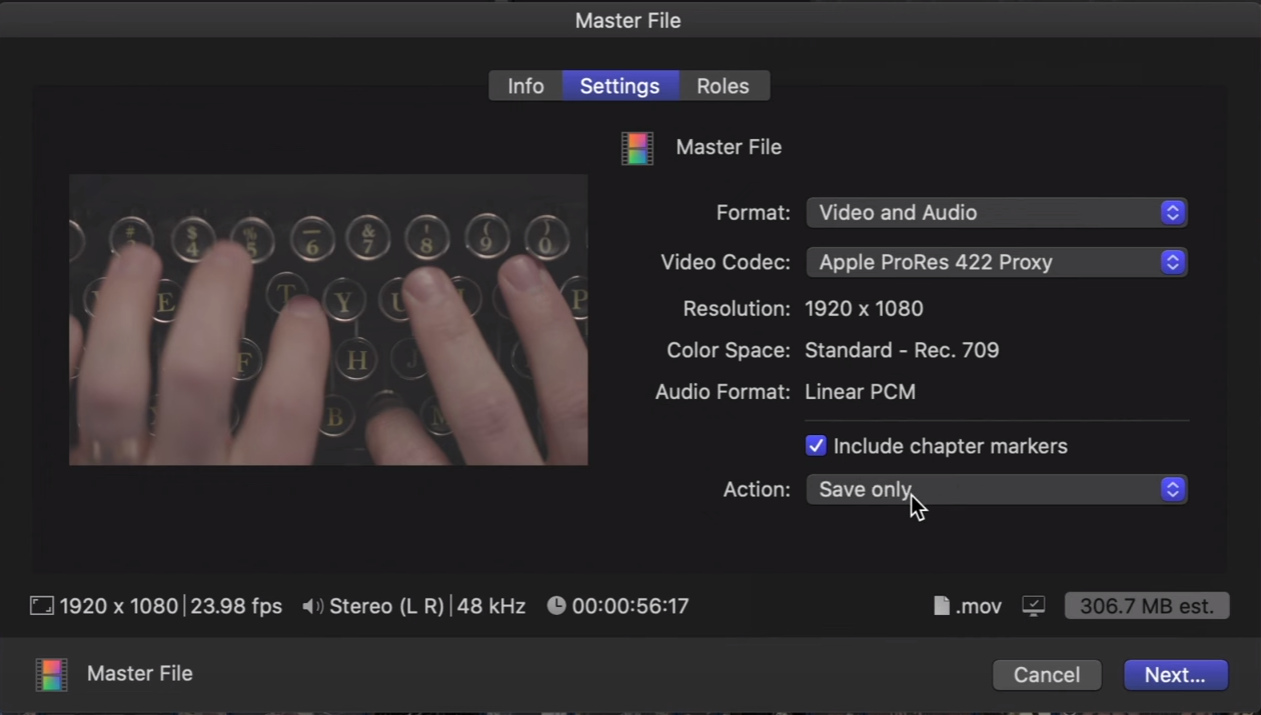
Use the following settings:
| Setting | Value |
|---|---|
| Format | Video and Audio |
| Video Codec | Apple ProRes 422 Proxy |
After export, make sure that the Offline Reference matches the prepared project from beginning to end.
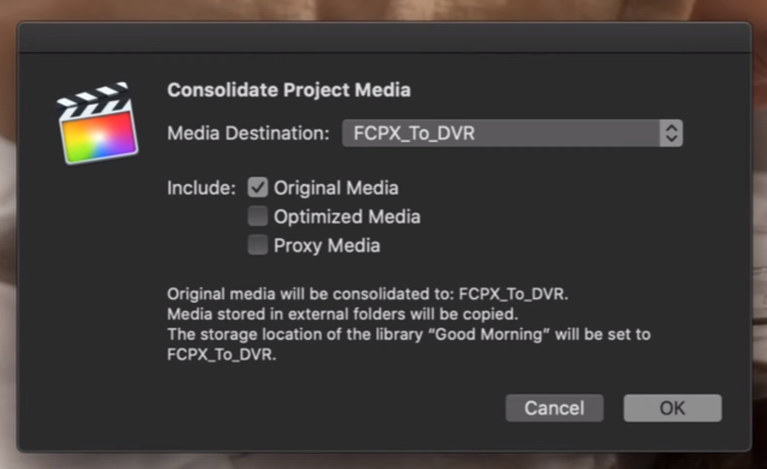
7. Consolidate the Original Media
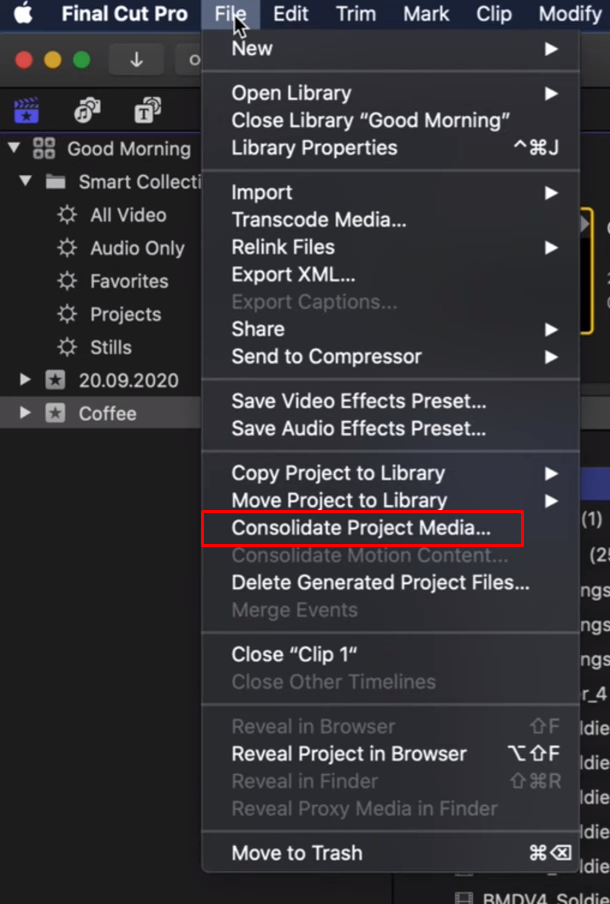
Select the prepared project and open:
File → Consolidate Project Media…
8. If the Project Includes CG
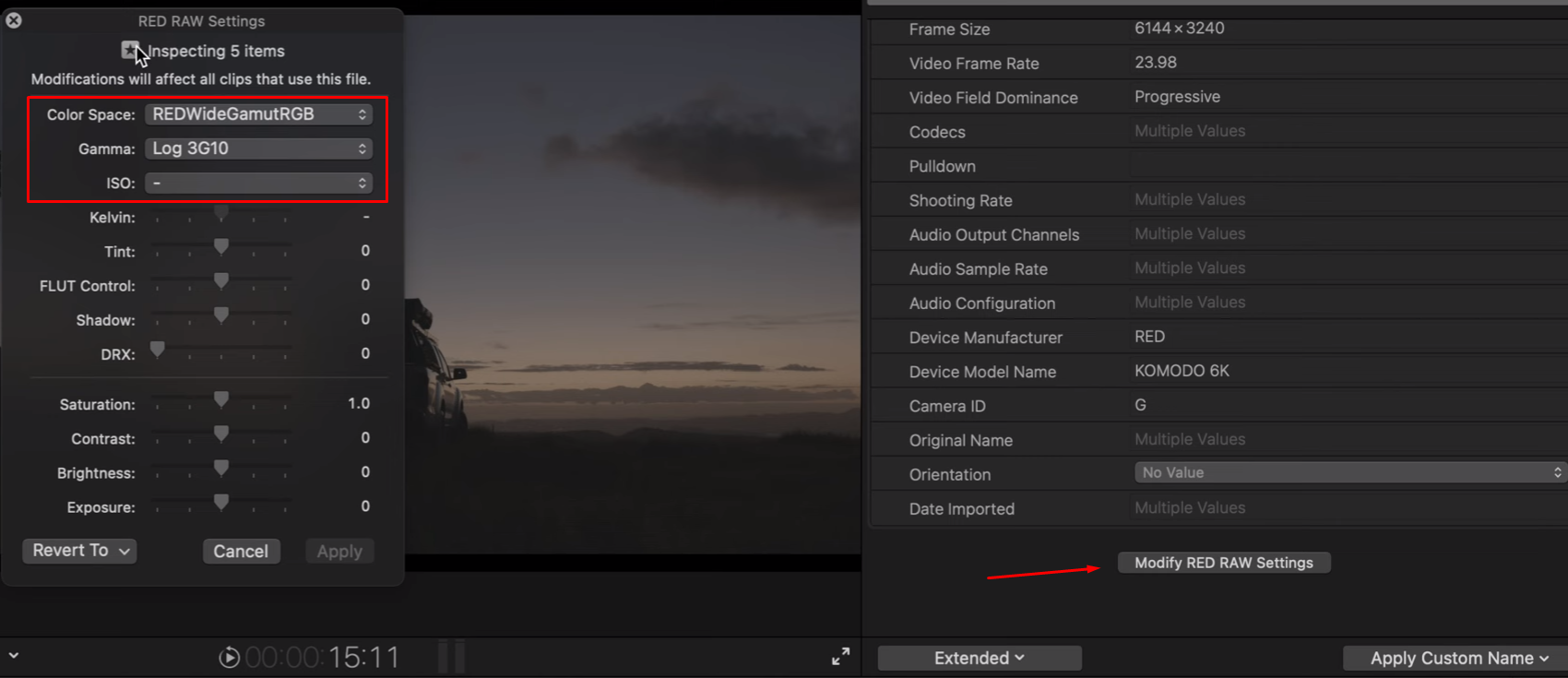
RAW footage sent for cleanup, compositing, or graphics work should be debayered into a wide-gamut color space and Log transfer function when transcoded to Apple ProRes 4444.
| Camera | Gamut / Color Space |
|---|---|
| Red | IPP2 / REDWideGamutRGB / Log3g10 |
| BlackMagic | DaVinci Wide Gamut / DaVinci Intermediate или ARRI Wide Gamut 3 / ARRI LogC3 |
| Canon | Cinema Gamut / Canon Log 2 |
After cleanup or compositing, the completed shots or graphics should be returned to the editor and subsequently delivered for color grading using the following specifications:
| Color Space | Original Log |
|---|---|
| Codec | Apple ProRes 4444 / EXR Sequence |
| Resolution | Source Resolution |
In some cases, an Alpha Matte may also be required for graphic elements.
9. Export the XML
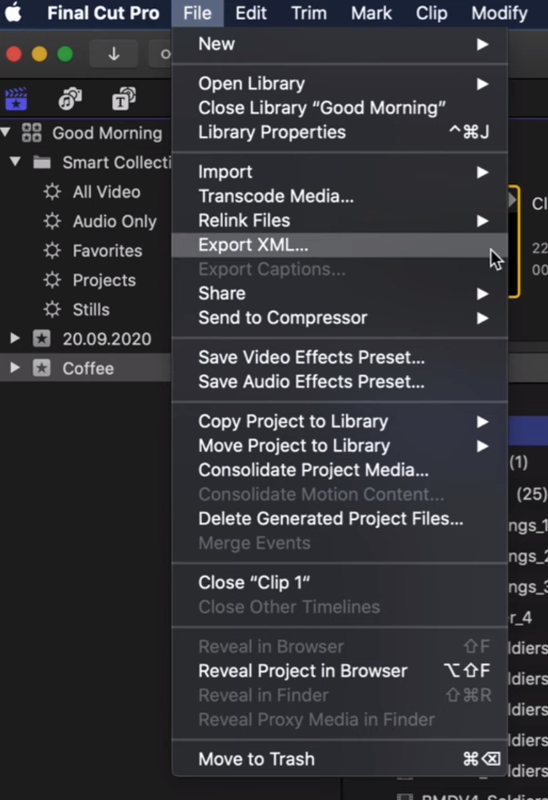
Select the prepared project and open:
File → Export XML…
Use the Current XML Version.
Depending on the version of Final Cut Pro, the exported file may use the .fcpxml or .fcpxmld extension.
10. Upload the Prepared Folder to Our FTP Server
The folder should contain:
- Original source media
- Guide audio
- Timeline file (.xml)
- Offline Reference
We recommend using FileZilla for file transfers. It provides fast and stable uploads and can automatically resume interrupted transfers.
After launching FileZilla, enter the following information in the bar at the top of the application:
- Host
- Username
- Password
- Port
To receive your access details, contact us via ✈️ Telegram or 📩 email.
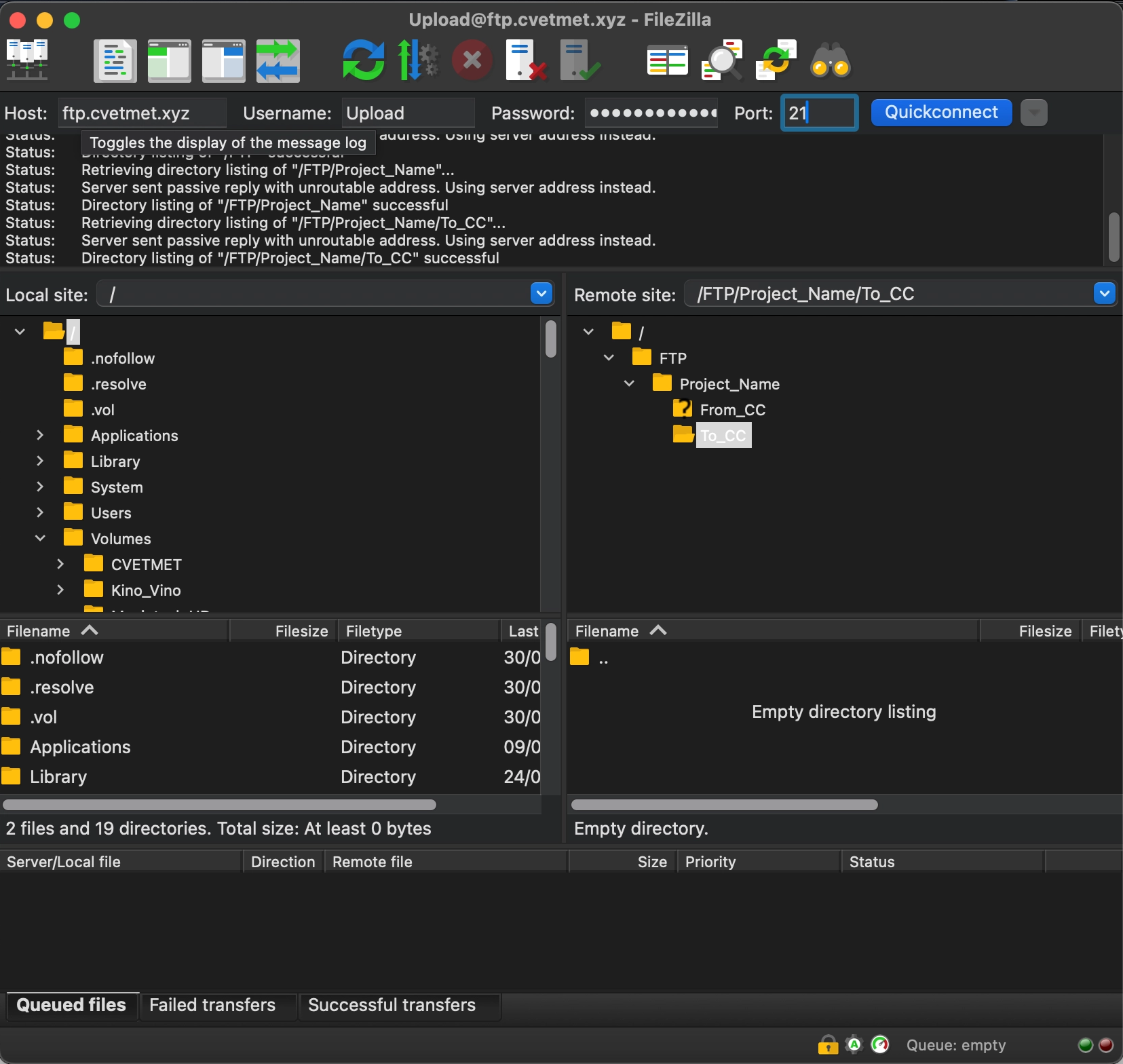
Upload all materials intended for color grading to:
To_CC — To Color Correction
After color grading is complete, the final deliverables will be available in:
From_CC — From Color Correction
When direct server transfer is not available, you may use Google Drive, Dropbox, WeTransfer, MyAirBridge, Yandex Disk, or another cloud storage or file-transfer service.
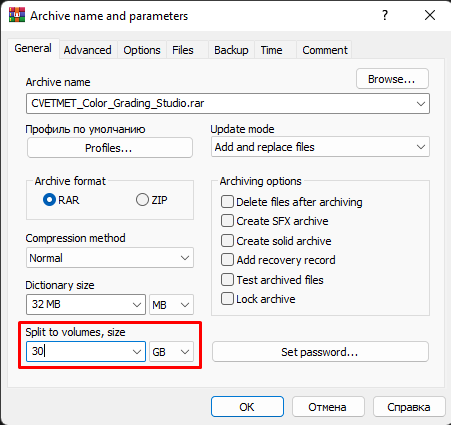
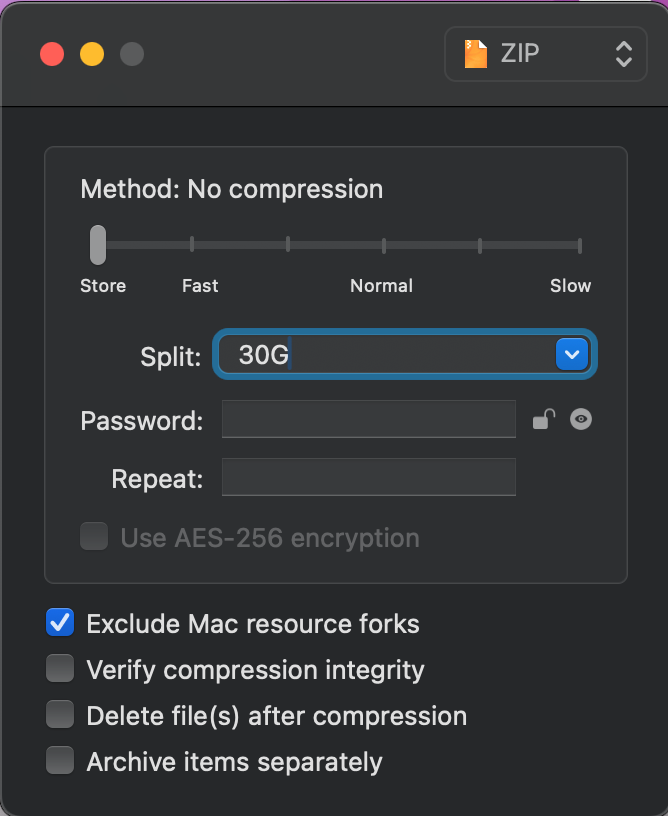
How can I transfer more than 50 GB using cloud storage?
When the files exceed the upload limits of the selected service, add them to an archive and split the archive into several smaller parts.
If the post-production supervisor or post-production producer decides that the final master will be assembled by the colorist, please also provide the final audio mix and final titles, and discuss how any editorial effects should be rebuilt.
You may also send the project on a physical hard drive by courier:
Serbia, 26101, Pančevo, ul. Oslobođenja, 23, stan 44
Nikolai Viktorov
+381 67 7244 136